
How to Turn Existing Bikes into a Connected Studio
A gym does not always need to replace its indoor cycling fleet to create a connected studio. If existing bikes already transmit compatible Bluetooth performance data, or can be equipped with supported power-measurement hardware, software such as CicloStudio can use that data to create a connected group experience. The correct route depends on the bike model, connectivity and studio infrastructure.
Written by Darren Lee, founder of CicloZone
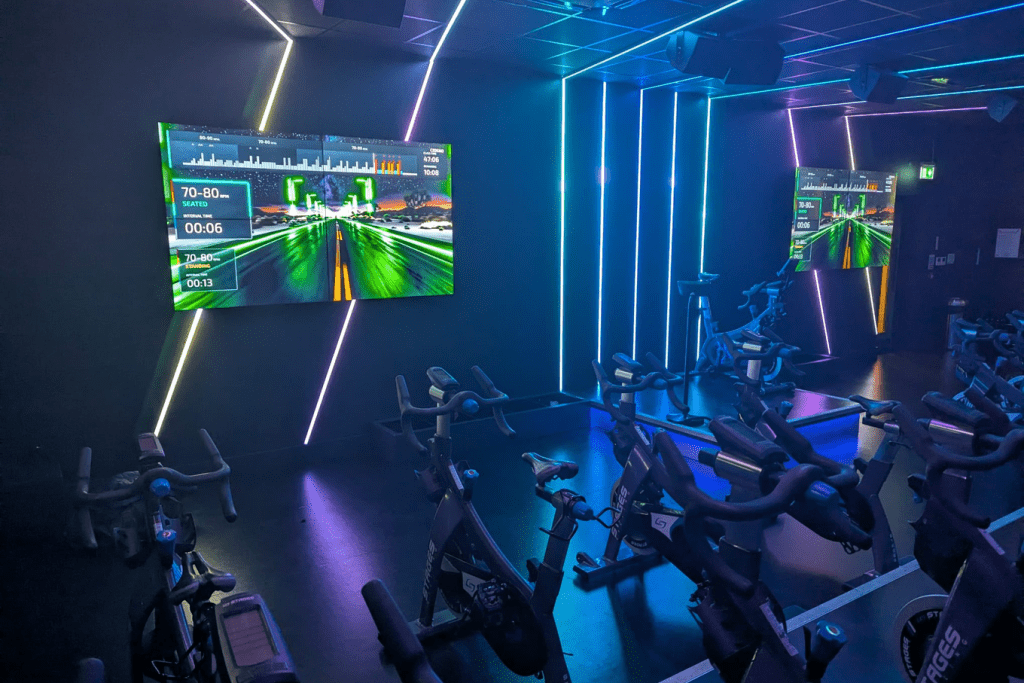
Start with the bikes you already own
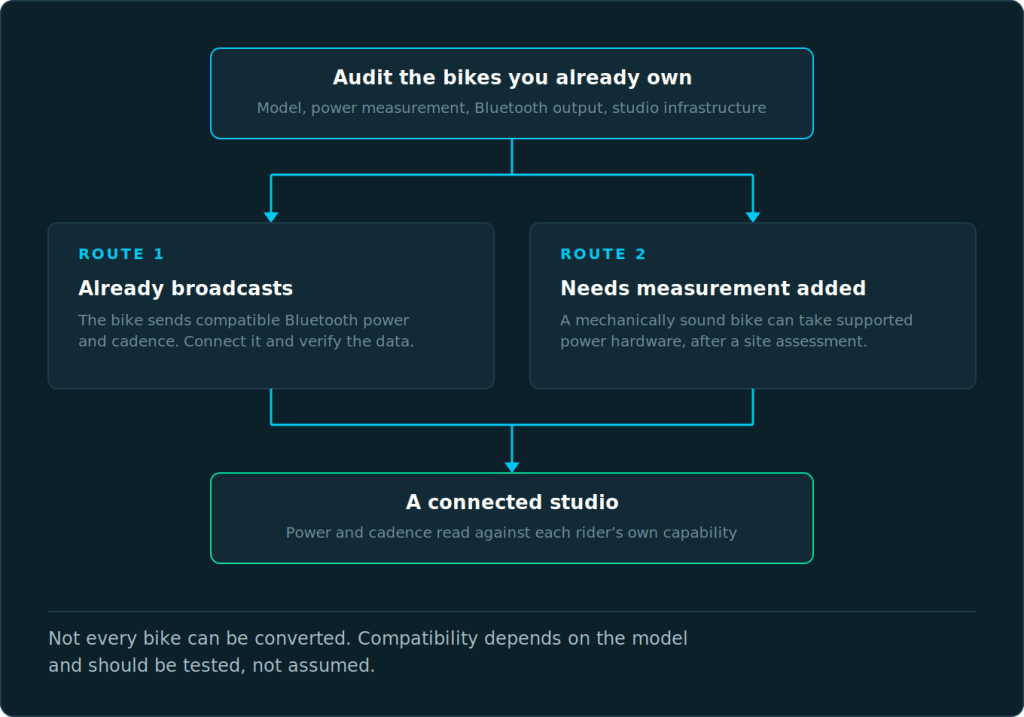
The first step in a connected-studio project should be an equipment audit, not a bike purchase. Identify the manufacturer and model, whether the bike measures power, whether it broadcasts Bluetooth data and what data fields are available. Also record the studio’s screen or projector, sound system, network connection and instructor position.
This establishes which parts of the existing room can remain and where additional connectivity is actually required.
Route 1: bikes that already broadcast compatible data
Where a bike already provides compatible Bluetooth power and cadence data, the digital layer can be substantially simpler. The rider or studio system can receive the performance data and use it within the class experience. Compatibility must still be verified because Bluetooth support and data implementations vary between manufacturers and models.
Route 2: adding power measurement to suitable existing bikes
A bike without the required digital output may still be mechanically suitable for continued commercial use. CicloZone’s power-crank connectivity option is designed to provide a route for suitable existing fleets, allowing operators to consider a connected upgrade without automatically discarding serviceable bikes.
A site assessment remains important: crank compatibility, installation, calibration, maintenance and the commercial condition of the underlying bike all matter.
What else does a connected studio require?
Bike data is only one layer. The studio needs a reliable way to run the CicloStudio application, present the class to riders and connect to the required network services. CicloStudio can run through supported Android TV hardware to a screen or projector, and the exact configuration can be adapted to the facility.
A studio screen is not mandatory in every configuration because riders can receive structured guidance on personal devices. However, a shared display can significantly strengthen the group experience, particularly for interval progress, zone colours and challenges.
How riders join the class
A commercial system needs to minimise friction at the start of a session. Riders should not need a lengthy technical setup every time they attend. Ciclo’s studio workflow is designed around a studio session that riders can join and then connect to their bike or supported data source.
Why retrofitting can improve the business case
Replacing an entire commercial bike fleet can turn a software decision into a large capital expenditure. If the existing bikes are mechanically sound, retaining them can allow the operator to direct investment toward the digital experience, display, content and member proposition instead.
Retrofitting is not always the right answer. If the bikes are approaching end of life, lack suitable geometry for a supported sensor or require substantial maintenance, replacement may make more sense. The objective is to choose the lowest-friction route that produces reliable data and a good member experience.
A practical conversion checklist
- Identify every bike model and generation.
- Confirm whether power and cadence are measured.
- Confirm the available Bluetooth connectivity.
- Test compatibility rather than relying on a specification sheet alone.
- Assess retrofit options for non-connected bikes.
- Confirm studio network, screen/projector and sound infrastructure.
- Run a small pilot before converting the whole room.
- Train instructors on the class workflow, not just the technology.
- Measure rider adoption and studio utilisation after launch.
Frequently asked questions
Can any spin bike be made connected?
No. Some bikes already provide compatible data, some may accept supported measurement hardware, and others may not be practical to convert. The exact model should be assessed.
Do connected bikes need to control resistance automatically?
No. A connected group cycling experience can use measured power and cadence while the rider controls resistance manually.
Do we need a new projector or screen?
Not necessarily. Existing display infrastructure may be usable if it suits the required resolution and connection method.
Can we trial a connected system before converting every bike?
Yes. A pilot is often the best way to validate connectivity, class workflow and member response before a wider deployment.
What data is most useful from an indoor bike?
Power and cadence are particularly useful because together they allow the system to understand both output and pedalling speed.